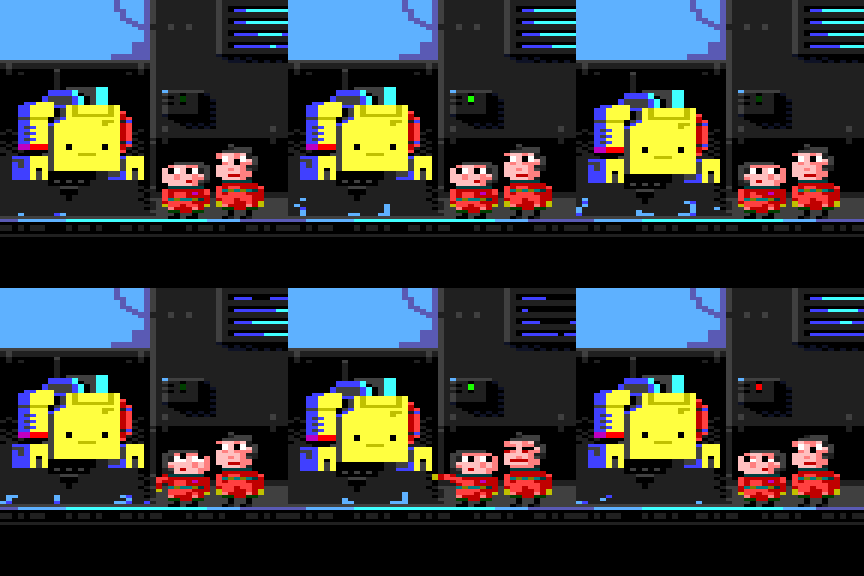
What is this thing?
However they know- they've got to know- they know that the creator is merely mad at himself, disappointed even. These small lively things are loved and they are all part of a journey.
Viser opslag med etiketten Screenshots. Vis alle opslag
mandag den 3. november 2025
Trash rubbish smolfolk
Etiketter:
3D,
Art,
Godot,
Screenshots,
TrashRubbish
tirsdag den 14. januar 2025
Rubbish Trash World
Rubbish trash world stuff.
..oo00oo..
Fun interface.
Dot collection. 6x1 9x6 6x54 - when full: 324.
Plumb containers + Tertiary juniper clusters.
Organism pressure gauge.
Tool carrousel.
Bag pivots.
👥
Etiketter:
3D,
Art,
Concept,
Godot,
Screenshots
torsdag den 13. oktober 2022
Drive'Em'Up
PW
Etiketter:
Art,
Concept,
Gamemaker,
Screenshots,
Video
Gravity/Orbitor prototype
Etiketter:
Art,
Assets,
Gamemaker,
Screenshots,
Video
onsdag den 1. februar 2017
Road to Roskopops
mandag den 20. juni 2016
KOC II Bolt idle
tirsdag den 31. maj 2016
KOC II
mandag den 4. april 2016
3D in Game Maker, Family game
I finally figured out how to manage to get 3D to work in Game Maker! There are not much on this anywhere, and the stuff there is is super vague actually.
I might be posting some usable things that I've discovered later.
One thing that I still haven't got a grasp of is the d3d_transform scripts, it's like they do not behave the way I would imagine.
Sadly, because I haven't wrapped my head around the d3d_transform scripts I haven't found a way to point the sprites directly towards the camera. Here I must look directly at YoYo for not having implemented a d3d_draw_sprite and d3d_draw_sprite_ext script for exactly this. I would expect such script to be part of the package, and it would be able to draw a sprite in depth, pointing directly towards the camera, without perspective deformation at the fringe of the view, and the _ext could contain an angle argument for rotation around the forward axis of the camera and the usual scale arguments. Tsk Tsk Tsk YoYo.
Anyway - here is my d3d_draw_sprite script, it is super simple, and all it does is to hijack the d3d_draw_wall script, carve away some redundancy and add some important things.
sprite = argument0; //sprite to use
img = argument1; //the image to show, in the animation strip
xx = argument2; //x position
yy = argument3; //y position
w = argument4; //width of the sprite
h = argument5; //height of the sprite
z = argument6; //the depth, don't confuse real depth(which is more important)
var tex;
tex = sprite_get_texture(sprite,img);
d3d_draw_wall(xx-w/2,yy,z+h,xx+w/2,yy,z,tex,1,1);
I love the lo-fi look of a 480*270 game running at 30fps in a somewhat simple engine like Game Maker.
For the shrubs I made a system which does only handle them when they are close to the players - when a player stands on top of a shrub the shrub scales a bit up in X and scales all the way down in Y to make it appear as if the shrub is stepped upon. It works pretty well. Right now I can't handle a large number of shrubs, but I am sure I can up the amount if a bit of optimization is performed.
A random story/gameplay idea:
You run around in the backyard inside the city. There are fun things to do while playing the game in co-op, possibly with your son or daughter. When the game is being played between 8am and 6pm the game is a co-op experience of just messing about, and the off hours in is a single-player experience. After a couple of days of play, one evening the other, younger character is gone. Only a clue to where he/she has gone is left.
The older player will have to find the younger character again.
Another random idea:
You play with a younger individual, a little brother or a son or a daughter. The game will demand quite different things of you, as the younger player is likely not as skilled as the older player. This could be flipped if necessary. It is a matter of playing this with a less skilled player, it doesn't matter if the younger is the skilled one or vice versa.
So the skilled player will be helping the younger one, and the younger one will be communicating and discussing the situations with the older player. Both characters will have a certain skill-set or properties that are very different to each other. For example the experienced player will be doing some jumping, shooting. The less experienced player will be doing navigation, halping out, like pushing buttons, solving puzzles, collecting things, maybe even matching things (sounds a bit condescending, but it isn't, at least here it'll be for a cause, not just killing time. :D)
It is empirical to incorporate puzzles that demands the two to communicate, maybe even give the non-skilled player some opportunity to show his/her wit and knowledge of things that the skilled player might now have the slightest clue about.
One way to do this could be to concentrate more subjective opinion-oriented tasks to the non-skilled player and direct more hands-on performance based tasks towards the skilled player.
Main objective would be for this game to be super asynchronous, which is something not many games possess, even today, 2016.
Dialogue excerpts:
"It'll all collapse. Hon' we need to go find mom! She is in danger!"
"K"
...
"All of them! All of them is here! See!!!"
"They're coming closer..."
"They'll help us, they'll help us get up there"
"Ohoy all!!!" - "Help us get up there!!! Mom is there" - "We need her back"
...
"We lost it all, the world is broken now. And for what!?"
"I want to go back! I want the garden!"
"The garden was never anything."
"YES! IT WAS!"
"It wasn't" *pause* "It was... wasn't it?" *pause* "... it's all gone now."
"..."
"We had fun though. right... along the way we had fun."
"..." - "we did." - "remember that time when the scribble-thief got the rubies?"
"HA!" - "yeah I do." Pretty weird one, that scribble-thief"
"YAH! SO weird."
"Was he also in your mind then?"
"I guess... don't know if he was a boy or a girl"
"Nah you're right."
"..."
"Do you think this is it?"
"..."
"might be"
"I'm sure we figure something out."
"We will! Right?"
"..."
I might be posting some usable things that I've discovered later.
One thing that I still haven't got a grasp of is the d3d_transform scripts, it's like they do not behave the way I would imagine.
Sadly, because I haven't wrapped my head around the d3d_transform scripts I haven't found a way to point the sprites directly towards the camera. Here I must look directly at YoYo for not having implemented a d3d_draw_sprite and d3d_draw_sprite_ext script for exactly this. I would expect such script to be part of the package, and it would be able to draw a sprite in depth, pointing directly towards the camera, without perspective deformation at the fringe of the view, and the _ext could contain an angle argument for rotation around the forward axis of the camera and the usual scale arguments. Tsk Tsk Tsk YoYo.
Anyway - here is my d3d_draw_sprite script, it is super simple, and all it does is to hijack the d3d_draw_wall script, carve away some redundancy and add some important things.
______________________________________________________________________//d3d_draw_sprite
sprite = argument0; //sprite to use
img = argument1; //the image to show, in the animation strip
xx = argument2; //x position
yy = argument3; //y position
w = argument4; //width of the sprite
h = argument5; //height of the sprite
z = argument6; //the depth, don't confuse real depth(which is more important)
var tex;
tex = sprite_get_texture(sprite,img);
d3d_draw_wall(xx-w/2,yy,z+h,xx+w/2,yy,z,tex,1,1);
______________________________________________________________________
(the sprite, and img arguments could be left out for a more streamlined version,
now when I think about it, this is more a _ext, than a standard script)
-o-
A random story/gameplay idea:
You run around in the backyard inside the city. There are fun things to do while playing the game in co-op, possibly with your son or daughter. When the game is being played between 8am and 6pm the game is a co-op experience of just messing about, and the off hours in is a single-player experience. After a couple of days of play, one evening the other, younger character is gone. Only a clue to where he/she has gone is left.
The older player will have to find the younger character again.
Another random idea:
You play with a younger individual, a little brother or a son or a daughter. The game will demand quite different things of you, as the younger player is likely not as skilled as the older player. This could be flipped if necessary. It is a matter of playing this with a less skilled player, it doesn't matter if the younger is the skilled one or vice versa.
So the skilled player will be helping the younger one, and the younger one will be communicating and discussing the situations with the older player. Both characters will have a certain skill-set or properties that are very different to each other. For example the experienced player will be doing some jumping, shooting. The less experienced player will be doing navigation, halping out, like pushing buttons, solving puzzles, collecting things, maybe even matching things (sounds a bit condescending, but it isn't, at least here it'll be for a cause, not just killing time. :D)
It is empirical to incorporate puzzles that demands the two to communicate, maybe even give the non-skilled player some opportunity to show his/her wit and knowledge of things that the skilled player might now have the slightest clue about.
One way to do this could be to concentrate more subjective opinion-oriented tasks to the non-skilled player and direct more hands-on performance based tasks towards the skilled player.
Main objective would be for this game to be super asynchronous, which is something not many games possess, even today, 2016.
-o-
Dialogue excerpts:
"It'll all collapse. Hon' we need to go find mom! She is in danger!"
"K"
...
"All of them! All of them is here! See!!!"
"They're coming closer..."
"They'll help us, they'll help us get up there"
"Ohoy all!!!" - "Help us get up there!!! Mom is there" - "We need her back"
...
"We lost it all, the world is broken now. And for what!?"
"I want to go back! I want the garden!"
"The garden was never anything."
"YES! IT WAS!"
"It wasn't" *pause* "It was... wasn't it?" *pause* "... it's all gone now."
"..."
"We had fun though. right... along the way we had fun."
"..." - "we did." - "remember that time when the scribble-thief got the rubies?"
"HA!" - "yeah I do." Pretty weird one, that scribble-thief"
"YAH! SO weird."
"Was he also in your mind then?"
"I guess... don't know if he was a boy or a girl"
"Nah you're right."
"..."
"Do you think this is it?"
"..."
"might be"
"I'm sure we figure something out."
"We will! Right?"
"..."
-o-
søndag den 3. april 2016
C64-ish gfx for Reside
Commadore 64 - ish graphics are super fun to make.

Normally, I think, it is 3 colors per "tile" as long as one of them is the "background" color. In this particular image that color would be black. However for the most of these graphics I only use two colors in total per tile. If you look closely though the wire and the thingy-plates in the lower middle of the screen has three colors. This is simply because I have a hard time deciding on the limitations I am forcing onto this project.
As always I've almost already abandoned this, so I will not be working too much on this in future, if any at all.
One of the cool things I made for this is the smoothness that the little motor-cycle-helmet dude moves with. he moves in 8x8 pixel increments, which normally works fine on left to right movement because the tiles are 8x16, but it doesn't work (normally) for up and down movement. So I made it so, that when you move up or down, a black block is occluding the background behind, then the character moves 8 pixels up, a moment later, he moves the last 8 pixels up and the background is visible again.
Smooth Y movement. Smooth-ish.
Furthermore I made an airsupply feature, where air is emitted from certain objects, such as vents. The air is a particle that then tries its best to find the player. When it finds the player it adds air to his lungs, and the player can then breath. If the player does not have a constant airsupply the lungs will be emptied of air, and the there will only be oxygen in the players system to make him last for about 30 seconds.
Air-supply system.
Air-supply gui
There are three stages. The white one blinking is the last oxygen in the system, The red one (in the beginning of the gif) is the lungs with no air in them. Later the lungs are filled with air, and the white "last air" gauge is shot down.Additionally, to be clear on the C64 ish-esque-like gfx, I use that as a buzz. The "C64". It is a matter of setting up C64-like limitations, the limitations mind you, that I like. So my limits are: 8*16 "chunks. 3 colors max on one chunk, 1 color being the background color, in my case black. Nothing is allowed to move smoothly, unless measures are taken to secure the integrity of the chunks. Color pallette is limited as well, however not to the original C64 color pallette. The pallette I adhere to is the original Game Maker pallette - the reason for this is that I cannot be certain that Game Maker will remember a custom pallette from session to session, and there is something nice to actually just make the "out of the box" pallette work.
tirsdag den 19. maj 2015
Made some headway with JANITR today
I've been extremely frustrated with the way the physics was being handled in my JANITR project for a time now. What I was aiming for was easy implementation of physical trades, without having to actually have physics in the game. In GameMaker I was switching physics on and off for a couple of weeks - I knew how easy it would be to get JANITR to do what I wanted with add_force and such under the physics structure, but to avoid the setup that comes with the physics based levels and objects would be super beneficial for me.
So now, a couple of days ago and today I scripted my way out of it... Yes it's crude, it's rough and it's super hacky. Corner-cases are just being taken care of as I scripted the shit, and that is just how it is going to be. I kind of like that things are being "hard-coded" like the games of olden days, such as Mario Bros. Where physics was non existent and therefore things like gravity and forces being applied to the objects and characters were written into the game the hard way.
I'm happy with the result, given the time it took to implement it.
So now, a couple of days ago and today I scripted my way out of it... Yes it's crude, it's rough and it's super hacky. Corner-cases are just being taken care of as I scripted the shit, and that is just how it is going to be. I kind of like that things are being "hard-coded" like the games of olden days, such as Mario Bros. Where physics was non existent and therefore things like gravity and forces being applied to the objects and characters were written into the game the hard way.
I'm happy with the result, given the time it took to implement it.
Here have some gifs!
Jump boost thingy - - picking up items.
Etiketter:
Art,
Gamemaker,
Screenshots,
Thoughts,
Video
fredag den 15. maj 2015
Janitr full screen grab
Slow frame rate, but nice colors and no compression.
Also check this recharge station, it'll mainly do what it sounds like it should do!
onsdag den 12. november 2014
Gui design for JU inv/stat/prox
Here is the gui design for the inventory/stat sheet/prox
The prox at the top left makes sure that you have a view of the surroundings while fiddling with the inventory.
Tools and weapons are printed on site, and recycled when discarded. This is a very clever way of circumventing the limited space issue of a JU.
mandag den 8. september 2014
Janitr with astronaut
I've been busy with GUI the last couple of nights. It's coming on pretty nicely. In the end I want everything to move and react to whatever the player is doing. It is important to me that it looks nice, and as you might realize here is that I just concentrate on the fun part, graphics, look, feel, heck... gui before gameplay, tech and mechanics.
The goal is beauty. I hope to achieve it. Beauty comes in many forms though, so this will not appeal to just anyone. But that's fine by me.
fredag den 29. august 2014
Jant is quite a big bot
Here is the Janitor Unit compared to people ->
This was made with Piskel - a completely amazing pixel art animation kit. Piskelapp.com
Piskel saves out as png and gif and all sorts of cool stuff. Here is the animation as a gif:
Pretty neat!
Janitor robot
torsdag den 20. marts 2014
Proxemit shuffles along
Over the past days I've managed to nail some pretty cool things.
For example a script that interprets the surroundings of a block, and determines if it'll be a corner, a straight or a single block with no neighbors. A script like this might not be a big deal for average coders ~~~ but I freaking feel like a god!!! I'm totally pumped up - if coders feel like this every time they manage a problem, nail a task, over comes an obstacle - then they got the best job in the world.
Here are some grabs from the development. To finish Proxemit a couple of rooms utilizing the block script is desirable.
For example a script that interprets the surroundings of a block, and determines if it'll be a corner, a straight or a single block with no neighbors. A script like this might not be a big deal for average coders ~~~ but I freaking feel like a god!!! I'm totally pumped up - if coders feel like this every time they manage a problem, nail a task, over comes an obstacle - then they got the best job in the world.
Here are some grabs from the development. To finish Proxemit a couple of rooms utilizing the block script is desirable.
tirsdag den 17. december 2013
Proxemit miraculously works
Proxemit - which I've destroyed some months ago, after applying changes and fixes from playtest #1, now works. Somehow it is impossible to recreate the fatal bug, so I'll calmly look the other way, and ignore my hunches about what and where it was. Fingers crossed that it'll stay on the other side of the river... Shouts* Laughs*
Anyway, let's talk about how I save progress in Proxemit!
I'm saving everything in small ini files. Hush hush. I know ~ you don't have to tell me, but please do if you absolutely must, I'd love to hear how to do it properly.
So every orb you pick up, tells the game to open an ini file, then look up the orb by adding together the orbs x and y coordinates only to use it as a sort of unique ID. Every ID is stored under the levels individual ID, so some orbs might have the same specific ID, but combined with the level ID, no orb will share the same.
An orb in level_1 placed at 400x, 500y, will then be easy to find by going through the ini (the ini read command does this automatically) to locate the section which is called [1] - for level_1. Then the game will check for an ID called 400500 and see if it is equal to 1. If it is 1 the orb will be deleted and a "dead orb" will be placed in it's spot. If it does not exist in the ini, the game will register it, for later use. When first registered the orb will get the value of 0. So it does exist in the database, but it has yet to be collected by the player.
I do the same with exits. When an exit has been activated it's variable "open" will be set to 1. Then when a level ends by the player going to the next/previous, a special "level end" event will register in the Exits.ini if the exit is open or not.
The reason I do it this way is to effectively make the objects register them selves, and leave me out of it. I love the fact that, with code, this is possible. Every object that needs registration has been programmed to do this. Gamemaker is a trooper when it comes to these kind of things, because it has the ability to check an ini, if it doesn'e exist, it creates it. The same goes for the "posts" inside an ini. It creates them if they do not exist.
~ ~ ~
torsdag den 12. december 2013
The failed remains of Proxemit
Proxemit ~ my game from early 2013, which I completely destroyed after the many fixes and applied suggestions from my good friend Martin Fasterholdt, who play-tested it a couple of months ago, should be fixable some way or another. I'm desperately trying to pick up the ashes and debug and debug_message my way out of the problem. A problem which I do not have any understanding of.
All I know is that it is some sort of infinite loop, but it is super hard to find, since GameMaker does not give me much to go on. However the few times that I've miraculously gotten info from GM it has been very helpful, but when I fix what I thought was the problem nothing changes. Proxemit remains unplayable ~
BUT - the now dated, yet playable older version is still available here ->
edit: It's a lie, it has been replaced with a newer and working version.
Download Proxemit.zip
If you play it, please get back to me - tell me what you think. Also keep in mind this is an early version, some features are not polished, and amount of content is at 50%. Yes in the end it will be a short experience. The reason for that is that the concept is pretty "hard" and might not be entertaining for a longer period of time, not without expanding it beyond it's original scope. Which of course is a possibility, but why not move on?
~ ~ ~
Abonner på:
Kommentarer (Atom)